
Adding Multiple Products On A Landing Page
First you will need to take one Amazon product URL to start the landing page like normal. Then on the "Basics" page, change the price as needed.
Next, you will need to adjust the heading and other text on the landing page from the "Design" page. You will also add additional product photos so that the landing page contains 2 products or more.
You can also make it so that when the user clicks to go to Amazon to purchase the products, it uses a "Buy-Together URL"or an "Any URL", so it takes them to an Amazon page containing 2 or more products ready to be checked-out or even your Amazon storefront.
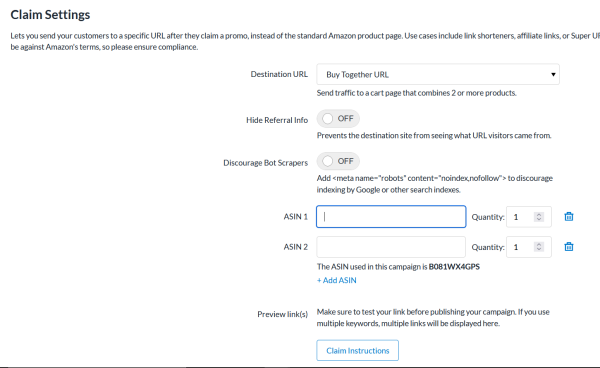
This is set from the "Publish" page of your landing page editor.
Problems? Questions? Contact usand our support team will be happy to help.